
Revenue attribution analysis in HubSpot involves a detailed process that connects each customer's revenue contribution to specific marketing activities. Attributing revenue to marketing activities is really important for B2B marketing teams, this is because the buyer journey in B2B selling is often lengthy and complex which means there can be lots of touchpoints and interactions across this. This article will walk you through each step of the process in detail.
Preparatory Steps
Step 1. Integrate Your Marketing Channels
Ensure all your marketing channels (like social media, email, PPC) are integrated with HubSpot. This integration ensures that HubSpot can track every interaction across these platforms. Without these integrations you will be missing vital interaction data.
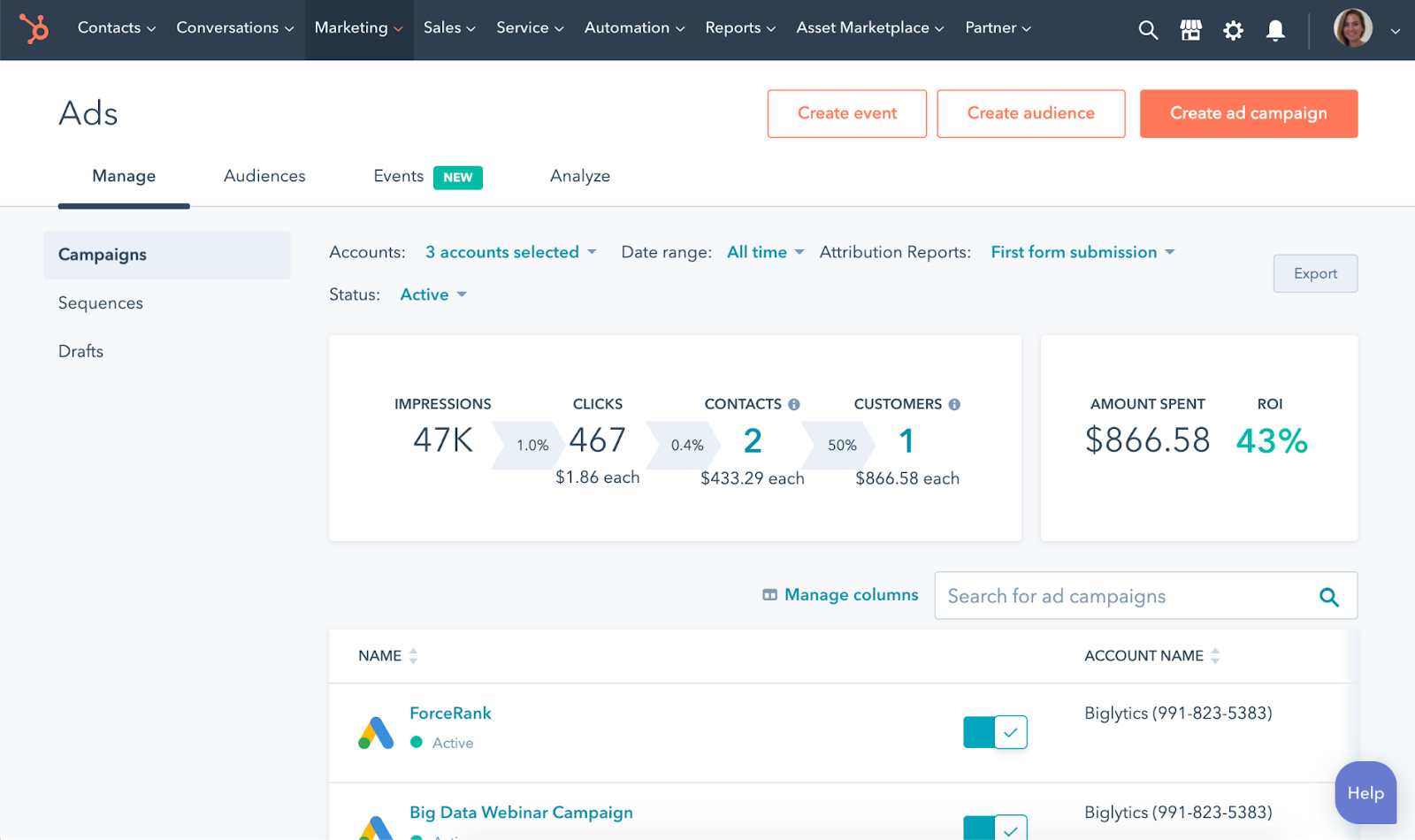
Step 2. Setting Up Your HubSpot CRM
Confirm that your HubSpot CRM is correctly configured and is tracking customer interactions. Accurate tracking is crucial for mapping the entire customer journey from initial contact to the final sale. More importantly you are going to need the HubSpot Enterprise package in HubSpot to use revenue attribution modeling.
Accessing the Attribution Tools in HubSpot
Step 1. Navigating to the Reports Section
In your HubSpot account, navigate to the ‘Reports’ tab and then select ‘Attribution Report’. This is where you create and analyze attribution reports.
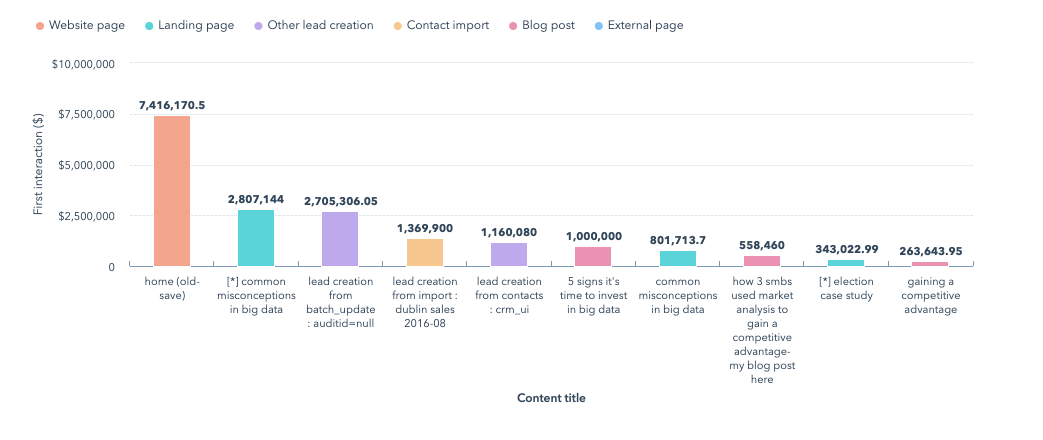
Step 2. Familiarizing with HubSpot’s Reporting Interface
Explore the available options in the attribution report section to understand the types of reports you can generate. Familiarity with the interface will streamline the report creation process.
Creating an Attribution Report
Step 1. Selecting Report Type
Choose the type of attribution report you want to create (e.g., Contact Create Attribution, Revenue Attribution). Different reports provide insights into various aspects of the customer journey from top to bottom
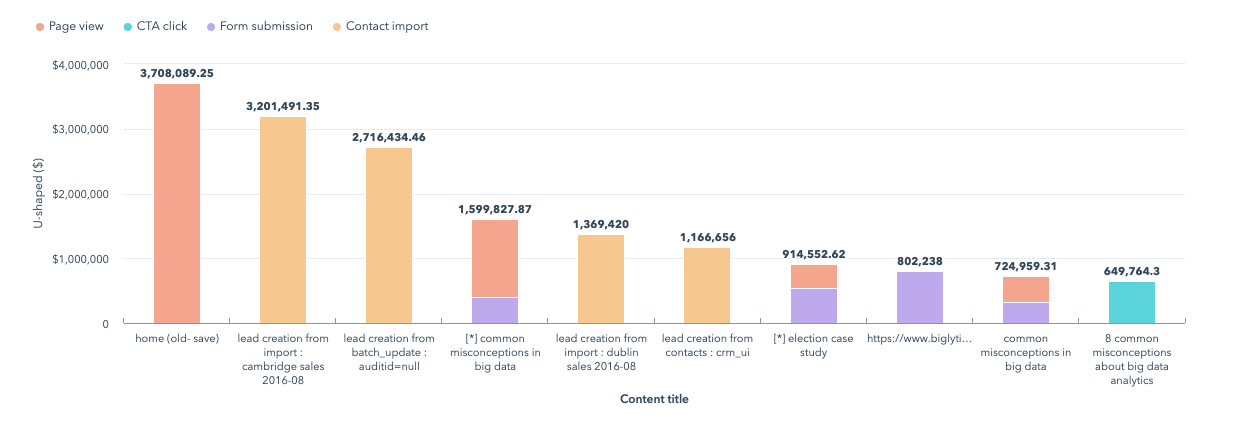
.
Step 2. Choosing an Attribution Model
Select the attribution model that aligns with your analysis goals (e.g., first-touch, last-touch, linear, etc.). The model determines how credit for conversions is distributed among marketing interactions.
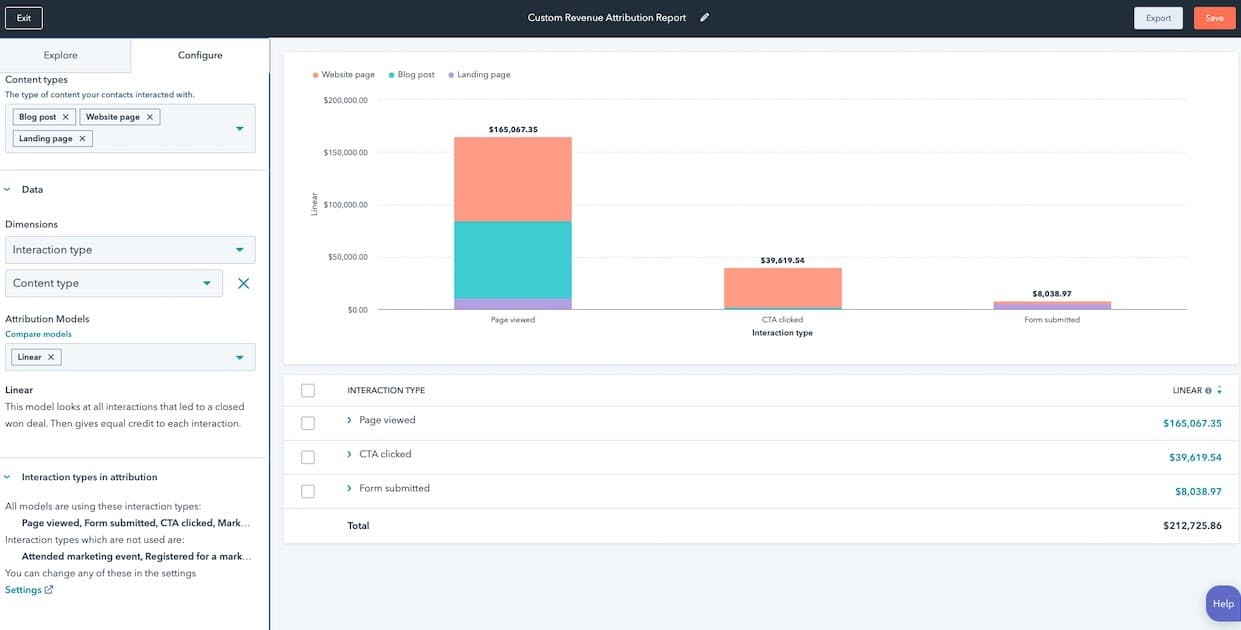
Step 3. Customizing Report Settings
Configure the report settings to focus on specific conversion actions, timeframes, and customer segments. Customization ensures that the report specifically addresses your analytical needs.
Analyzing the Report
1. Interpreting Data
Once the report is generated, review the data to understand the contribution of various channels and activities. This analysis reveals which marketing efforts are most effective in driving revenue.
2. Identifying Trends and Patterns
Look for patterns, such as channels that consistently perform well or underperform. Recognizing these patterns can inform strategic decisions and budget allocations.
Utilizing the Insights
1. Strategic Decision Making
Use the insights to make informed decisions about marketing strategies and budget allocation. Data-driven decisions can lead to improved ROI and more effective marketing campaigns.
2. Continuous Improvement
Implement changes based on the analysis and continuously monitor the results.Regular adjustments ensure that marketing strategies stay aligned with business goals and market dynamics.
Ongoing Process and Best Practices
1. Regular Reporting
Schedule regular intervals for conducting attribution analysis. Consistent analysis keeps you updated on the effectiveness of your marketing strategies.
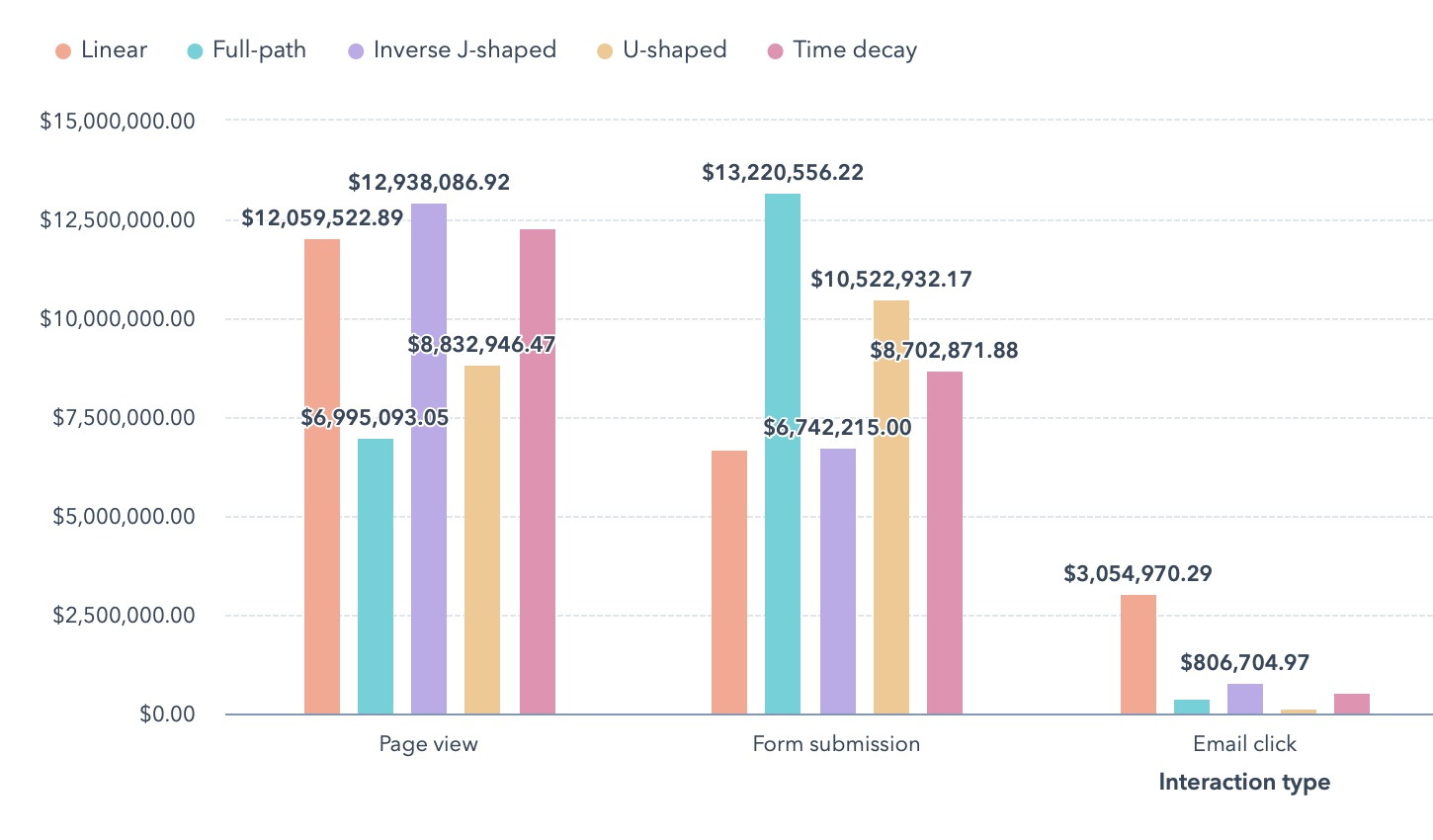
2. Cross-Model Comparison
Analyze data using different attribution models for a more comprehensive view. Different models provide varied perspectives, enriching your understanding of marketing performance.
3. Collaboration and Feedback
Collaborate with both sales and marketing teams to interpret the data and gather feedback. This collaboration ensures a holistic approach to understanding and enhancing customer journeys.
Conclusion
Performing revenue attribution analysis in HubSpot is a meticulous process that involves detailed steps, from integrating marketing channels and setting up the CRM, to creating, analyzing, and utilizing reports.
This process not only helps in identifying the most effective marketing strategies but also guides budget allocation and strategic decision-making. By regularly engaging in this process and adapting strategies based on data insights, businesses can significantly enhance their marketing ROI.


Find a B2B SaaS Expert
We've collected a directory of B2B SaaS experts and agencies that we've reviewed and categorised based on service and specialism for your review.